Day-22: Getting Started with Jenkins 😃
What is Jenkins?
Jenkins is an open-source continuous integration-continuous delivery and deployment (CI/CD) automation software DevOps tool written in the Java programming language. It is used to implement CI/CD workflows, called pipelines.
Jenkins is a tool that is used for automation, and it is an open-source server that allows all the developers to build, test and deploy software. It works or runs on Java as it is written in Java. By using Jenkins we can make a continuous integration of projects(jobs) or end-to-endpoint automation.
Jenkins achieves Continuous Integration with the help of plugins. Plugins allow the integration of Various DevOps stages. If you want to integrate a particular tool, you need to install the plugins for that tool. For example Git, Maven 2 project, Amazon EC2, HTML publisher, etc.
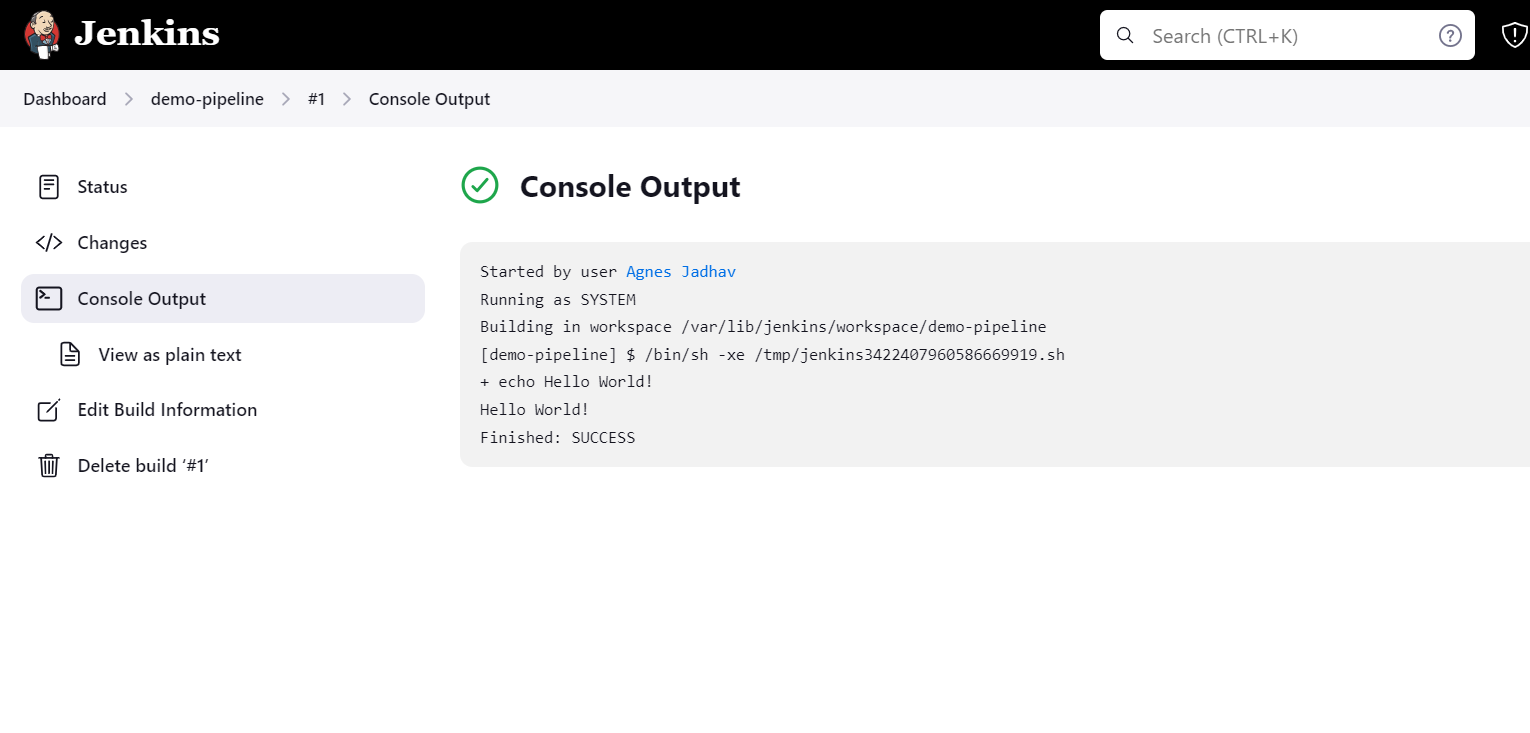
Create a freestyle pipeline to print "Hello World!!
Install Jenkins on AWS EC2 Ubuntu instance.
For Jenkins used port 8080, browse instance-public-IP/8080 it will open the Jenkins dashboard.
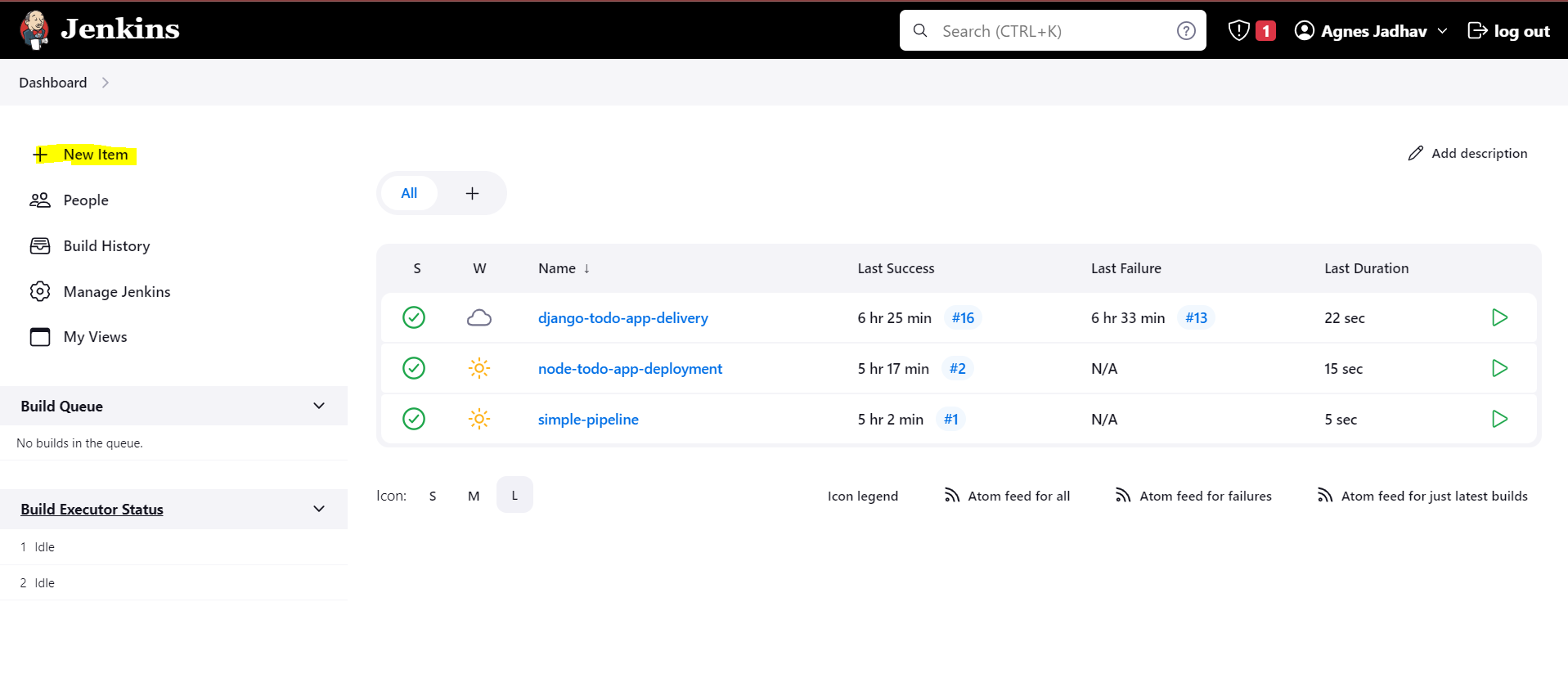
Click on the "New Item" button on the left sidebar.
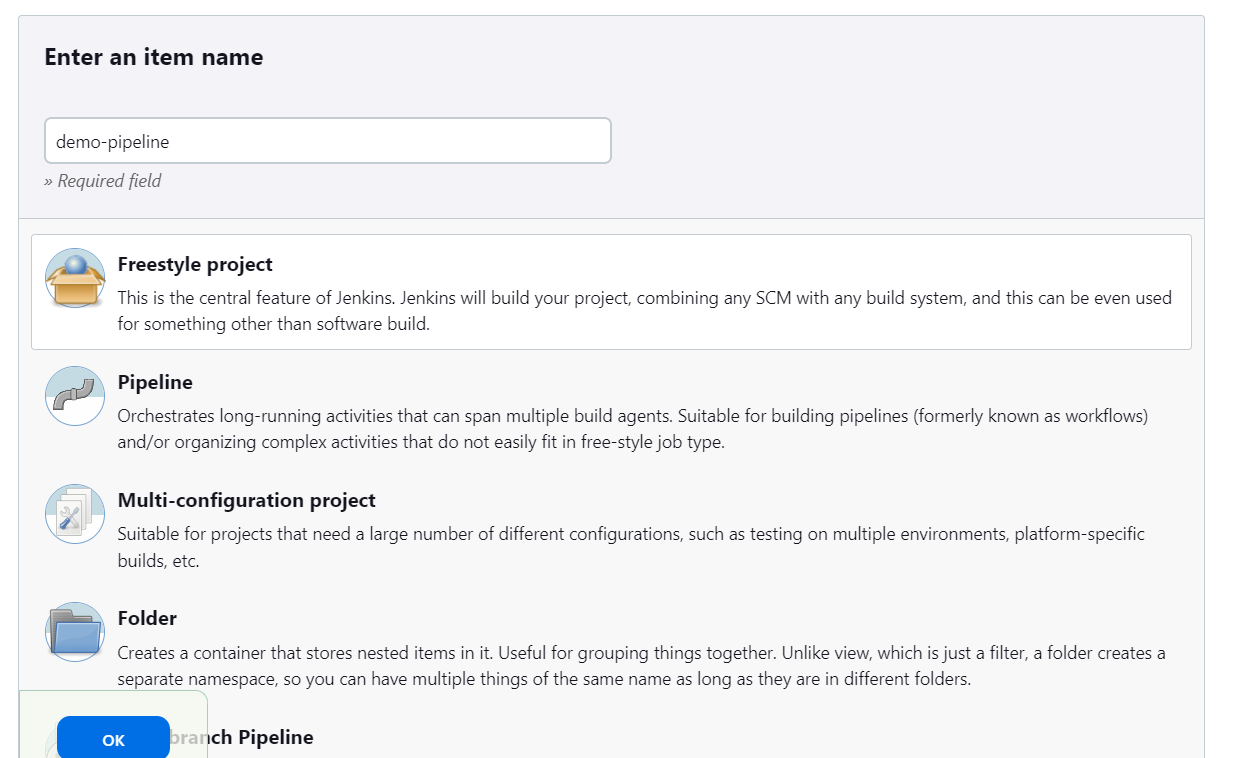
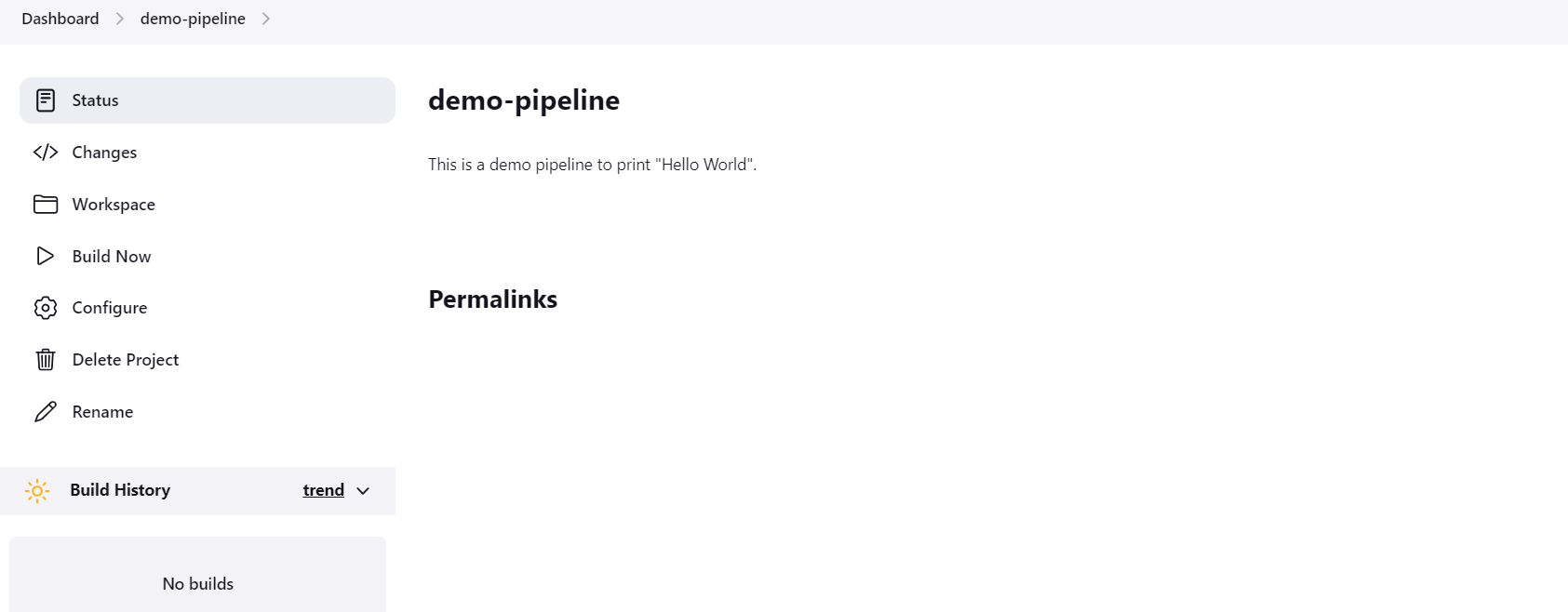
Give your project a name, such as "demo-pipeline" and select "Freestyle project" as the project type.
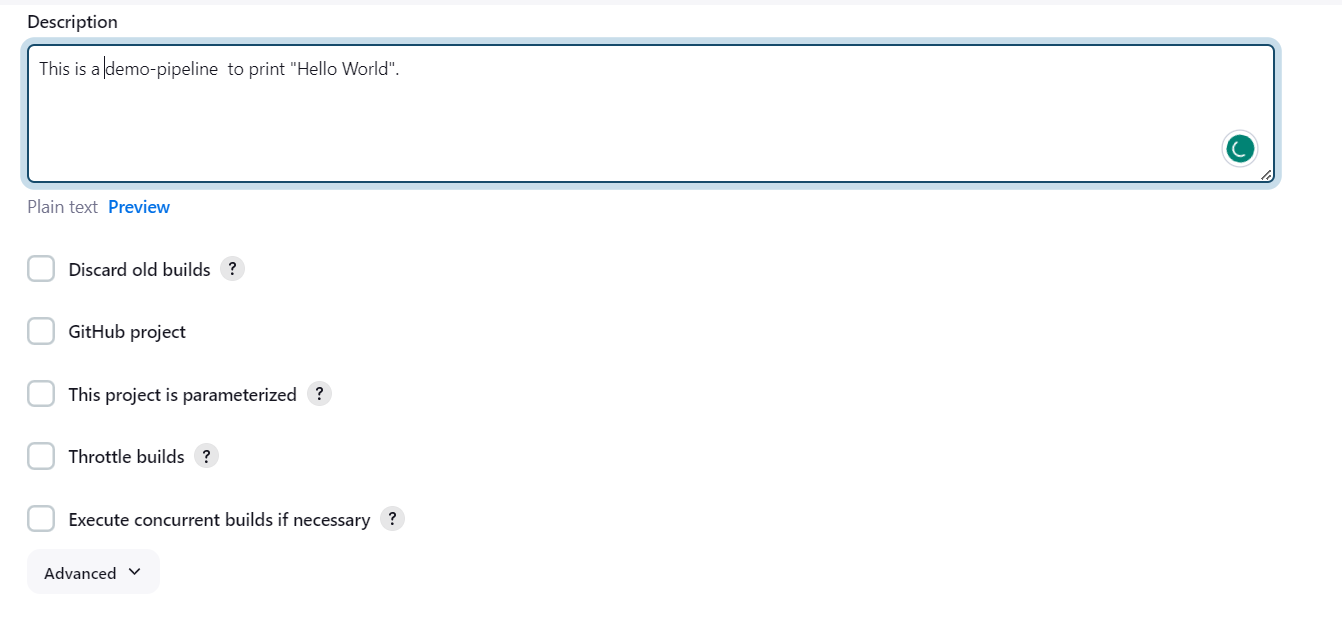
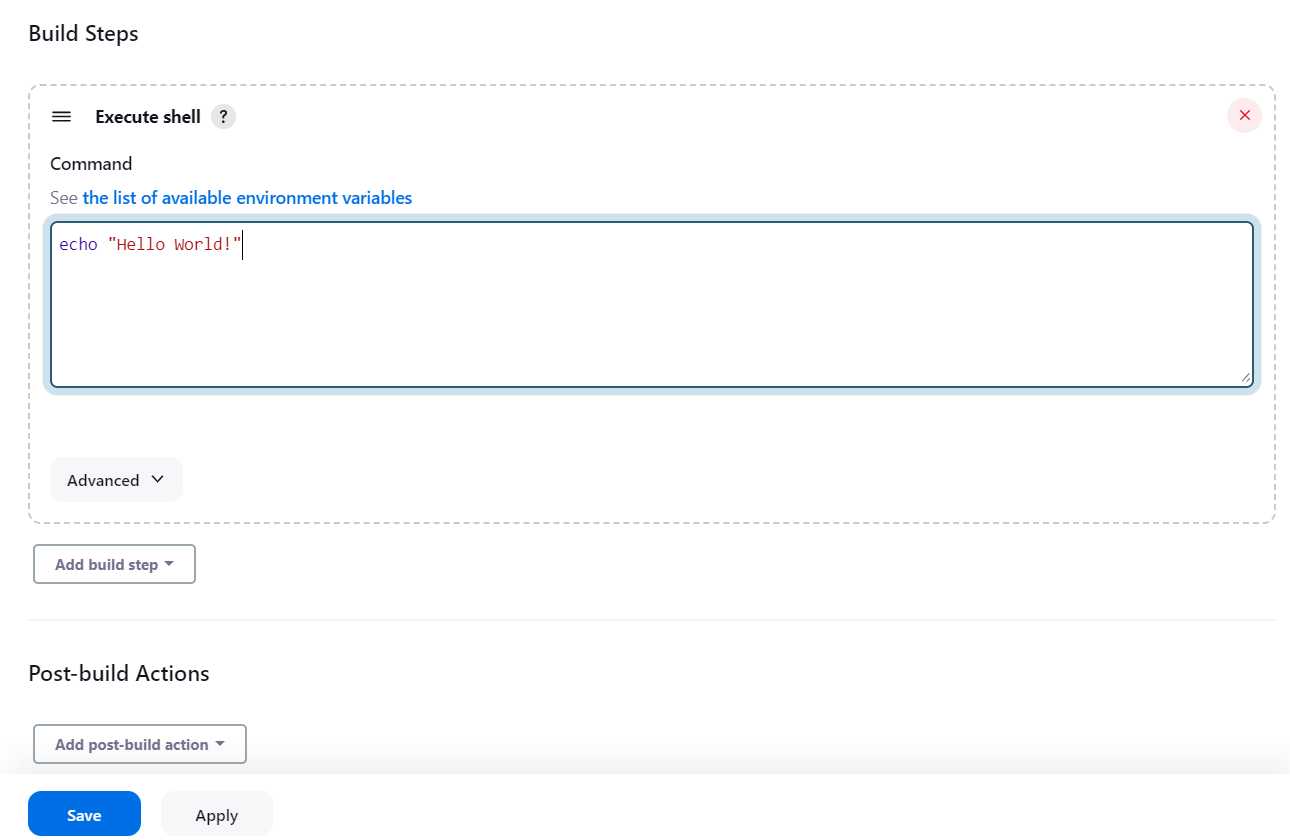
Click on the "Save" button at the bottom of the page to create the project.
project is created, click on the "Build Now" link to run the project.
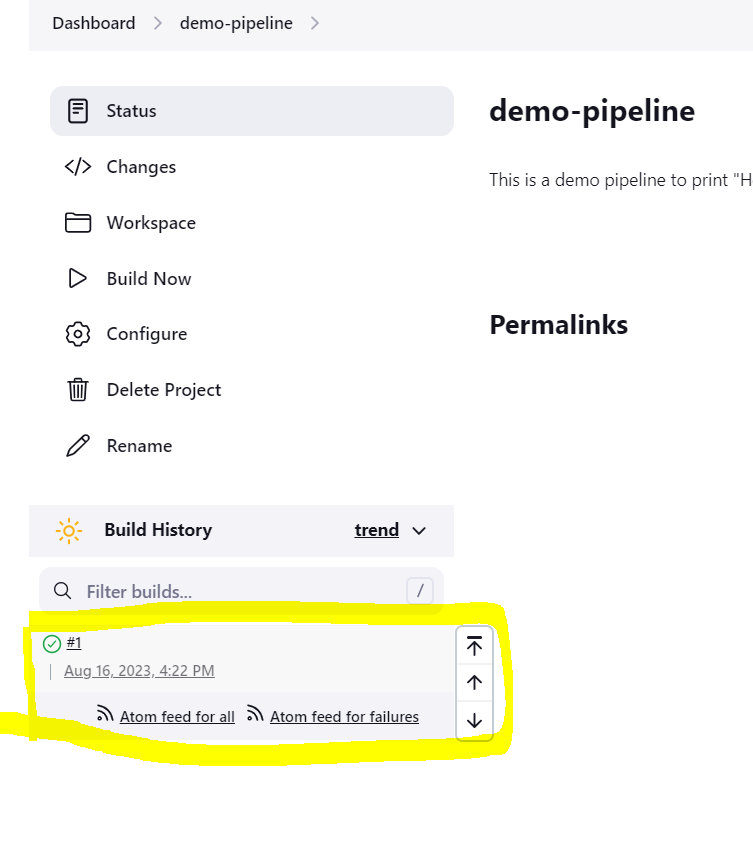
Check the console output for the "Hello World!" message.
Thank you for reading this blog!
Happy Learning!


