Day 3:LINUX in a nutshell
A Journey to DevOps | Learning Linux was never as easy as it is today
LINUX
Linux is a free open-source software operating system, developed by Linus Torvalds. Linux is one of the most popular operating systems. It is an OS that is reliable, and secure.
Open source: Linux operating system source code is available freely and for enhancing the capability of the Linux OS, several teams are performing in collaboration.
Multi-user: Linux OS can also be defined as a multi-user system. It means more than one user can use the resources of the system such as application programs, memory, or RAM at the same time.
Flavors of LINUX
RHEL
Ubuntu
Debian
Amazon Linux
CentOS
Linux Architecture
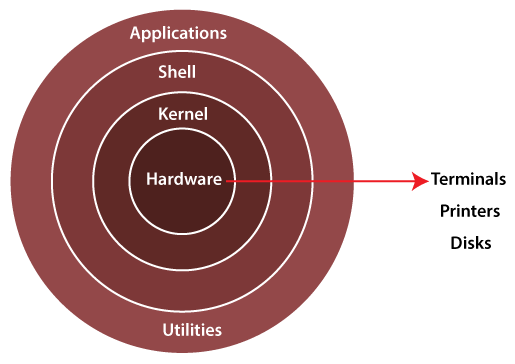
The architecture of a Linux System consists of the following layers −
Hardware layer − Hardware consists of all peripheral devices (RAM/ HDD/ CPU etc).
Kernel − It is the core component of the Operating System, and interacts directly with hardware.
Shell − An interface to the kernel, from users. The shell takes commands from the user and executes the kernel's functions.
Application/Utilities − Utility programs that provide the user with most of the functionalities of an operating system.
Linux Folder Structure
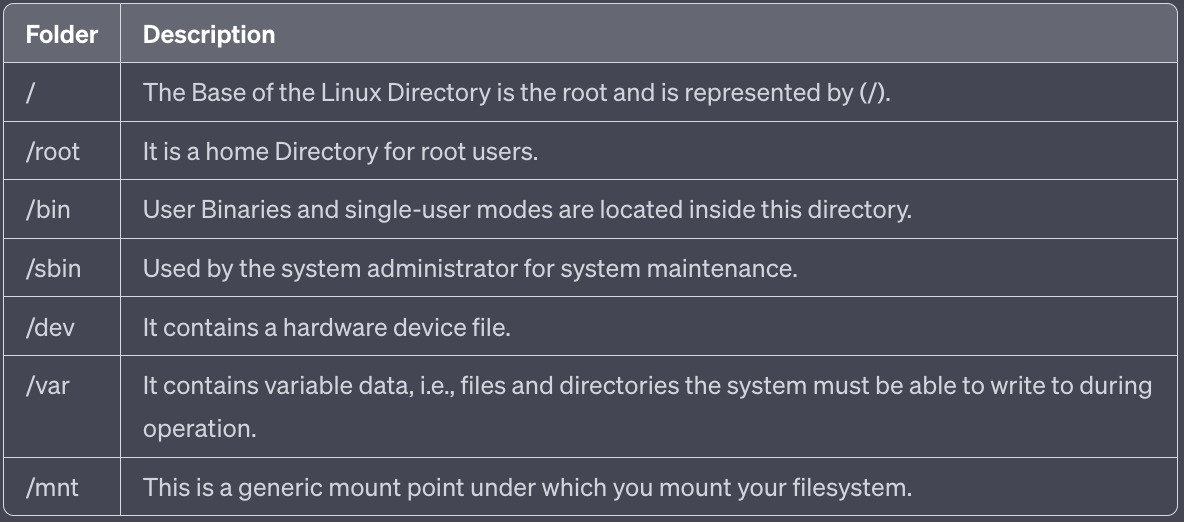
Linux Commands
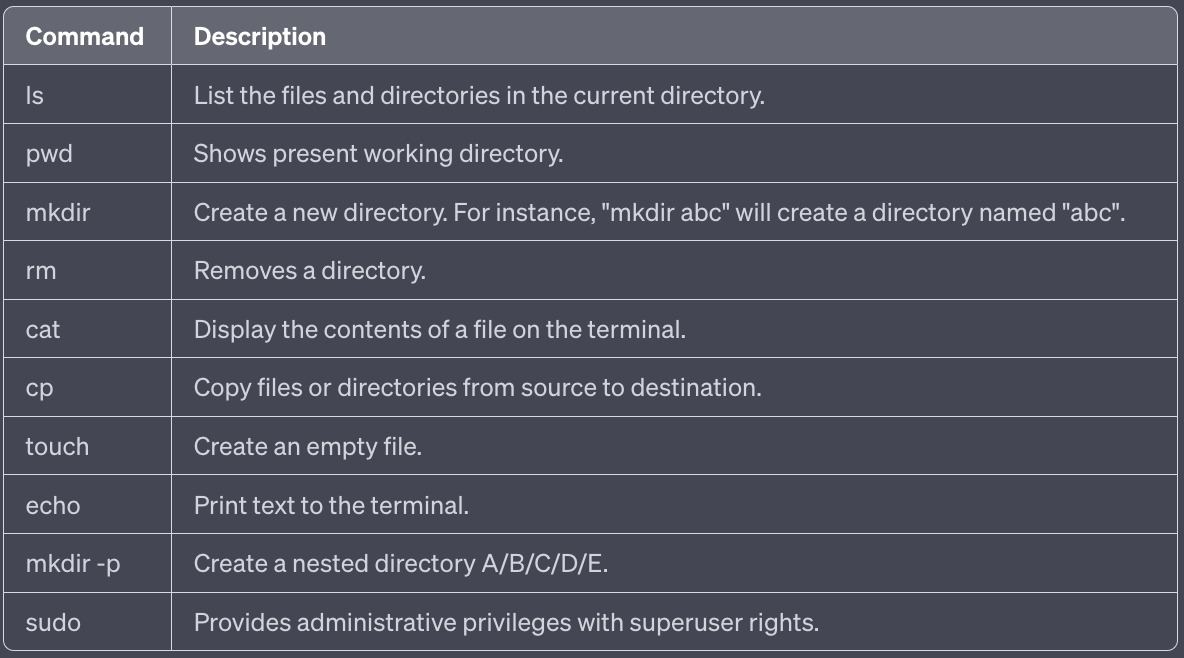
I am posting Day 2 to 3 Task from #90daysofdevops challenge.
Day 2 Task: Basics Linux command

Task: What is the Linux command to Check your present working directory?
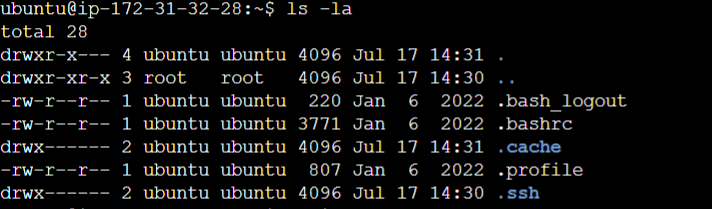
List all the files or directories including hidden files.
Create a nested directory A/B/C/D/E

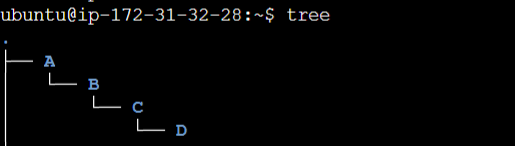
Task 3
Day 3 Task: Basic Linux Commands
Task: What is the Linux command to To view what's written in a file?

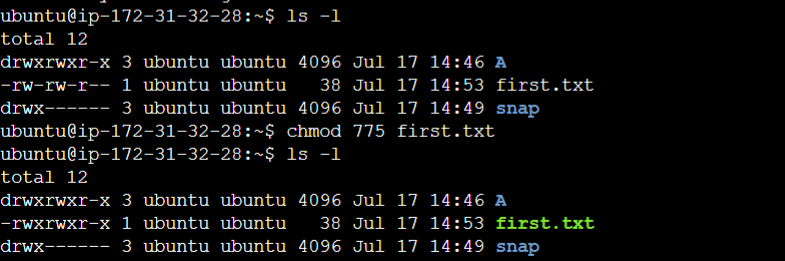
To change the access permissions of files.
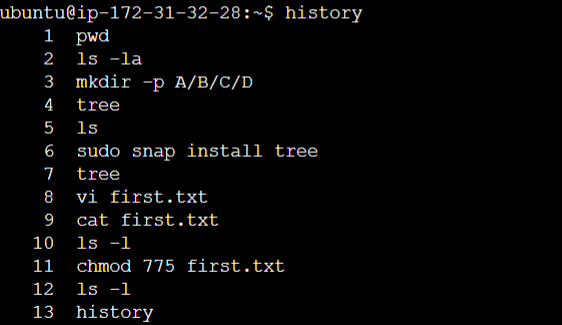
To check which commands you have run till now.
To remove a directory/ Folder.

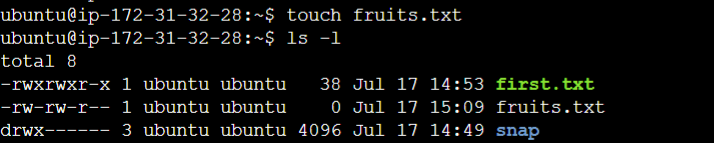
To create a fruits.txt file and to view the content.
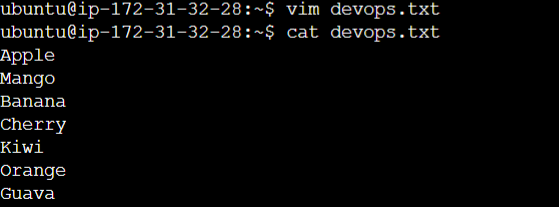
Add content in devops.txt (One in each line) - Apple, Mango, Banana, Cherry, Kiwi, Orange, Guava.
To Show only the top three fruits from the file.

To Show only the bottom three fruits from the file.

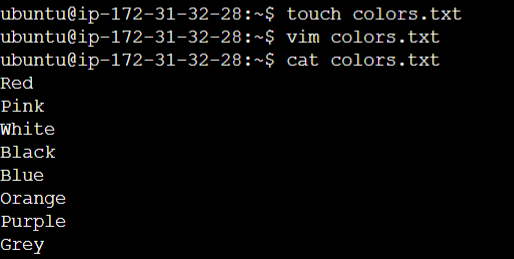
To create another file Colors.txt and to view the content. Add content in Colors.txt (One in each line) - Red, Pink, White, Black, Blue, Orange, Purple, Grey.
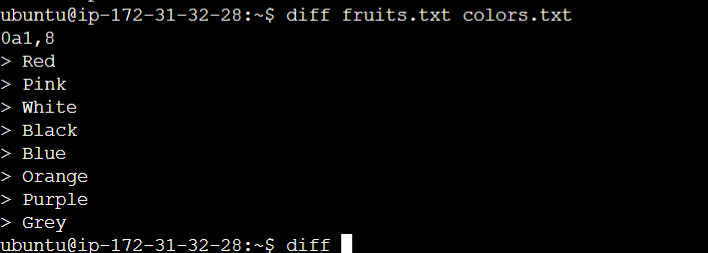
To find the difference between fruits.txt and Colors.txt files.
Thank you for giving your precious time for reading this blog/article.
Happy Learning!


